Stay Connected with QuadCity

Download the QuadCity App

Your connection to QuadCity doesn’t have to stop when Sunday ends.

The QuadCity App is the easiest and most important way to stay connected to everything happening across our church. Whether you’re looking for sermon content, event updates, ministry communication, giving, livestreams, podcasts, or next steps, the app is built to help you stay engaged and connected throughout the week.

It’s more than just an app. It’s the central hub for life at QuadCity.

Why Download the App?

Stay Connected All Week Long
Get updates, event reminders, ministry communication, important announcements, and church-wide news right on your phone.

Watch Sermons & Livestreams Anytime
Miss a Sunday? Traveling? Want to revisit a message or share one with a friend? Watch live or catch up anytime directly in the app.

Follow Along During Services & Beyond
  • Use the app on Sundays to stay engaged during the message with:
    • Built-in Bible access
    • Sermon notes
    • Scripture references
    • Weekly message resources
    • Easy access to livestreams and message archives
  • Whether you’re sitting in service, watching online, or revisiting the message later in the week, the app helps you stay connected to what God is teaching and how to apply it in everyday life.

Give Quickly & Securely
Set up one-time or recurring giving in just a few taps.

Register for Events
Sign up for events, classes, groups, and more directly through the app.

A Step-By-Step Guide to Download

Follow the steps below to download the QuadCity App, enable notifications, customize ministry updates, access sermons and media, and stay connected to everything happening across QuadCity throughout the week.

Downloading the QuadCity App

Download the QuadCity App on your phone or tablet to access sermons, events, giving, livestreams, ministry communication, and more — all in one place.

Turn On Notifications

App notifications are the primary way we communicate important updates at QuadCity. Turning notifications on helps you stay informed about events, schedule changes, ministry communication, prayer updates, and church-wide announcements. If notifications are disabled, you may miss important information.

iPhone / iPad
  1. Open Settings
  2. Tap Notifications
  3. Select QuadCity
  4. Turn on Allow Notifications
Android
  1. Open Settings
  2. Tap Notifications or Apps
  3. Select QuadCity
  4. Enable notifications

Customize Ministry Notifications

Inside the app, you can choose which ministries and updates you want to hear from so your notifications stay relevant to you and your family.

To Enable Ministry-Specific Notifications:
  1. Open the QuadCity App
  2. Tap The Profile Settings Icon (Top Right of Screen)
  3. Tap Notifications
  4. Select the ministries or categories you want updates from

Stay Connected Throughout The Week

The QuadCity App is more than just communication — it’s a tool to help you stay engaged and continue growing as a disciple throughout the week.

Inside the app, you can:
  • Watch live services and past sermons
  • Follow along with sermon notes
  • Access the Bible during services
  • Listen to podcasts and media
  • Register for events and classes
  • Give securely online
  • Stay connected to ministry updates

Whether you’re at church, at home, or on the go, the app helps you stay connected to what God is doing at QuadCity.

Watch In Your Living Room

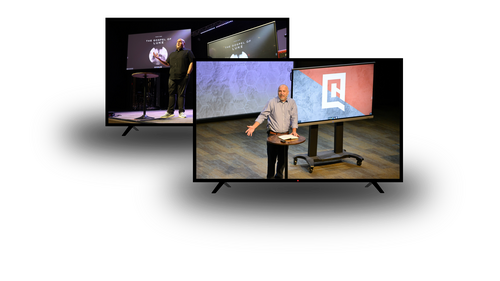
Download the QuadCity TV App on your SmartTV to access past sermons, livestreams, and more from the comfort of your home. Available on AppleTV, and most Roku, Google TV, & Amazon Fire platforms.

Simply search "QuadCity Christian Church" in the App Store on your AppleTV or Smart TV.